
Prerequisites
- CrowdHandler resources installed via CloudFormation quicklaunch link (generated in CrowdHandler control panel).
Step 1: Create /ch/* CloudFront Behaviour
- Edit the CloudFront distribution that you would like to install CrowdHandler against.
- Create behavior as shown below, modifying your origin as appropriate.

Step 2: Deploy crowdhandler-originOverride Lambda function to CloudFront
- Navigate to the crowdhandler-originOverride Lambda function.
- Select Deploy to Lambda@Edge from the Actions Dropdown.
- Deploy as shown in the image below.

Step 3: Deploy crowdhandler-originResponse Lambda function to CloudFront
- Navigate to the crowdhandler-originResponse Lambda function.
- Select Deploy to Lambda@Edge from the Actions Dropdown.
- Deploy as shown in the image below.
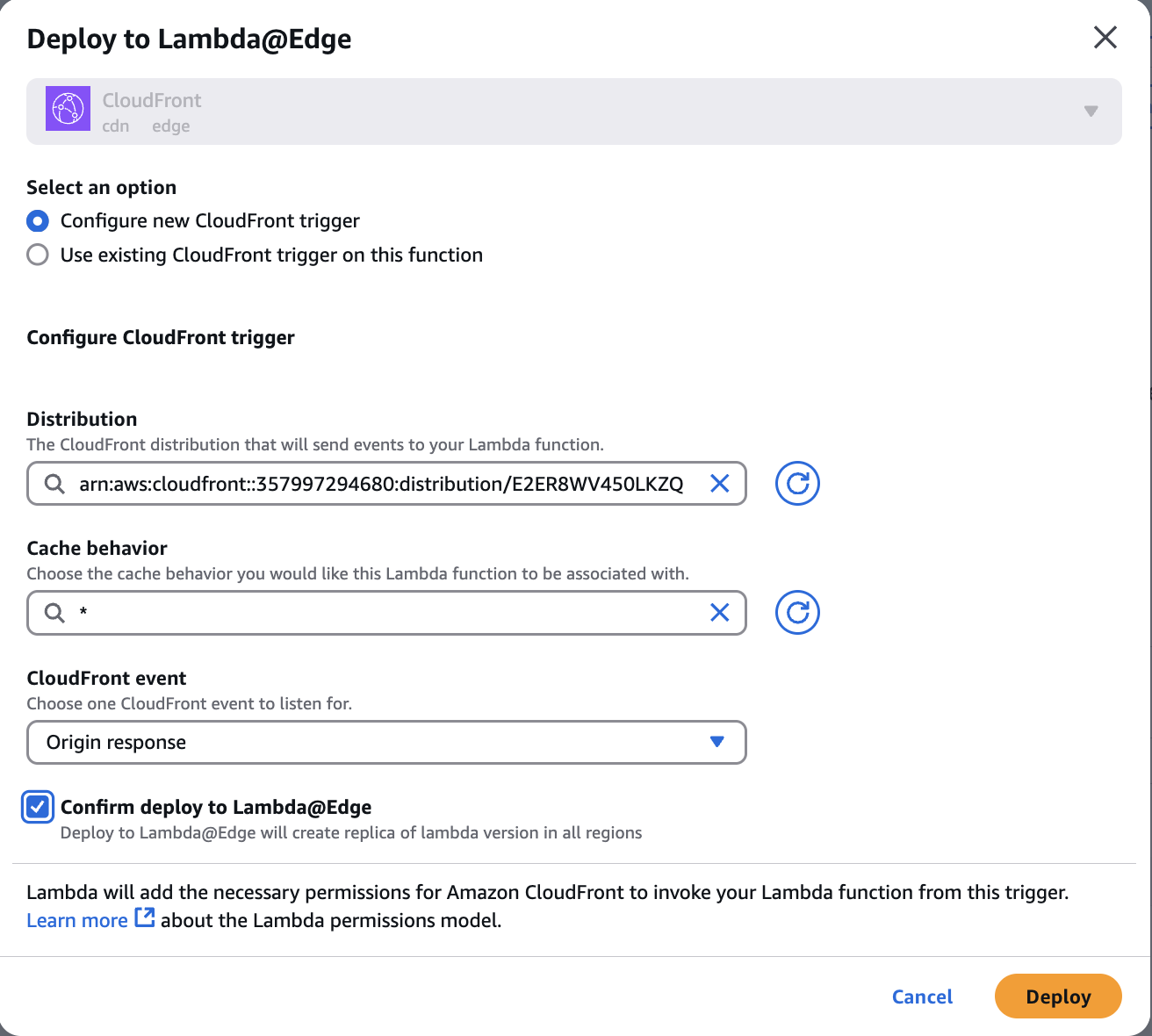
Step 4: Deploy crowdhandler-viewerResponse Lambda function to CloudFront
- Navigate to the crowdhandler-viewerResponse Lambda function.
- Select Deploy to Lambda@Edge from the Actions Dropdown.
- Deploy as shown in the image below, selecting Viewer response as the CloudFront event
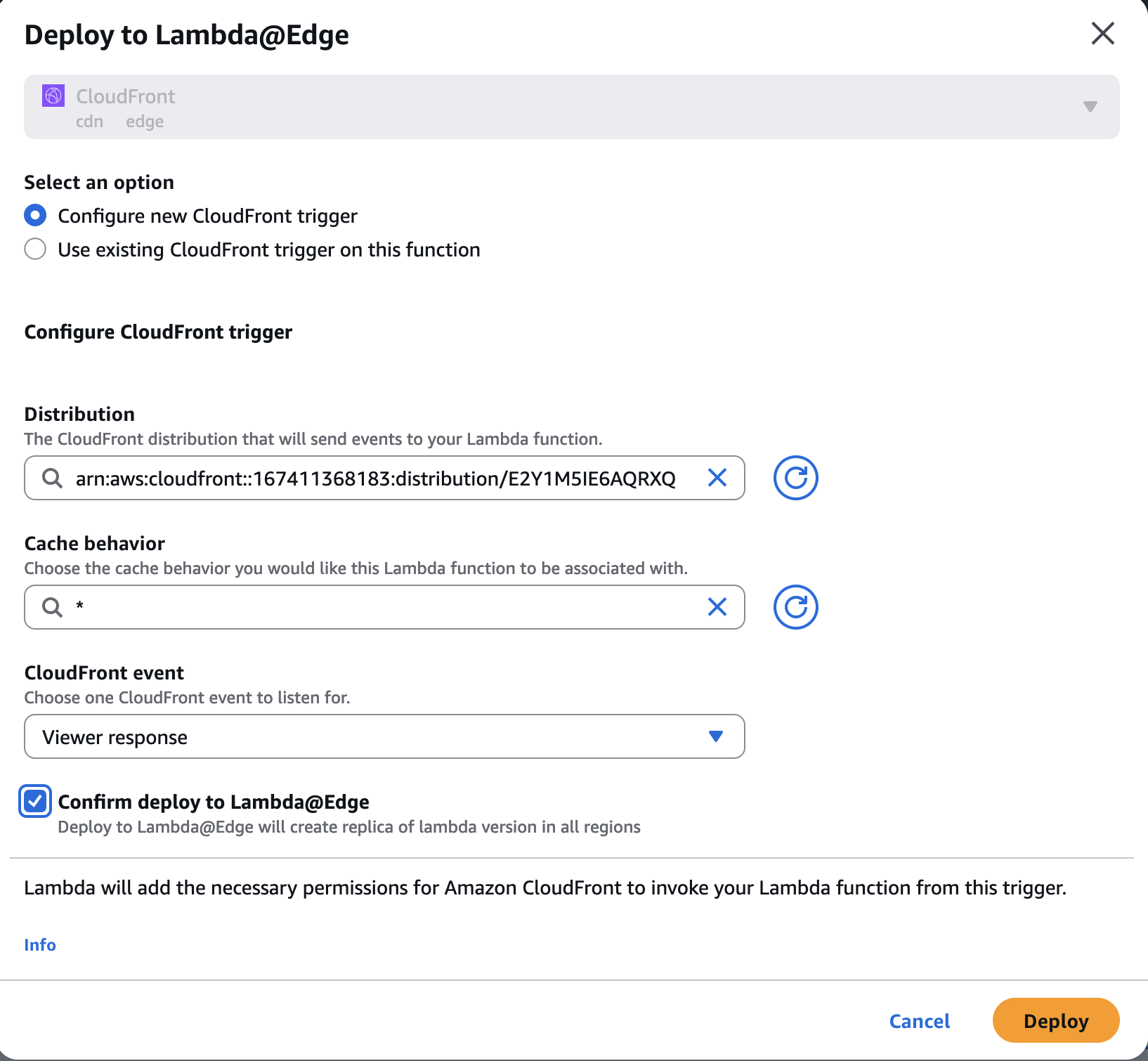
Step 5: Deploy crowdhandler-viewerRequest Lambda function to CloudFront
- Navigate to the crowdhandler-viewerRequest Lambda function.
- Select Deploy to Lambda@Edge from the Actions Dropdown.
- Deploy as shown in the image below.
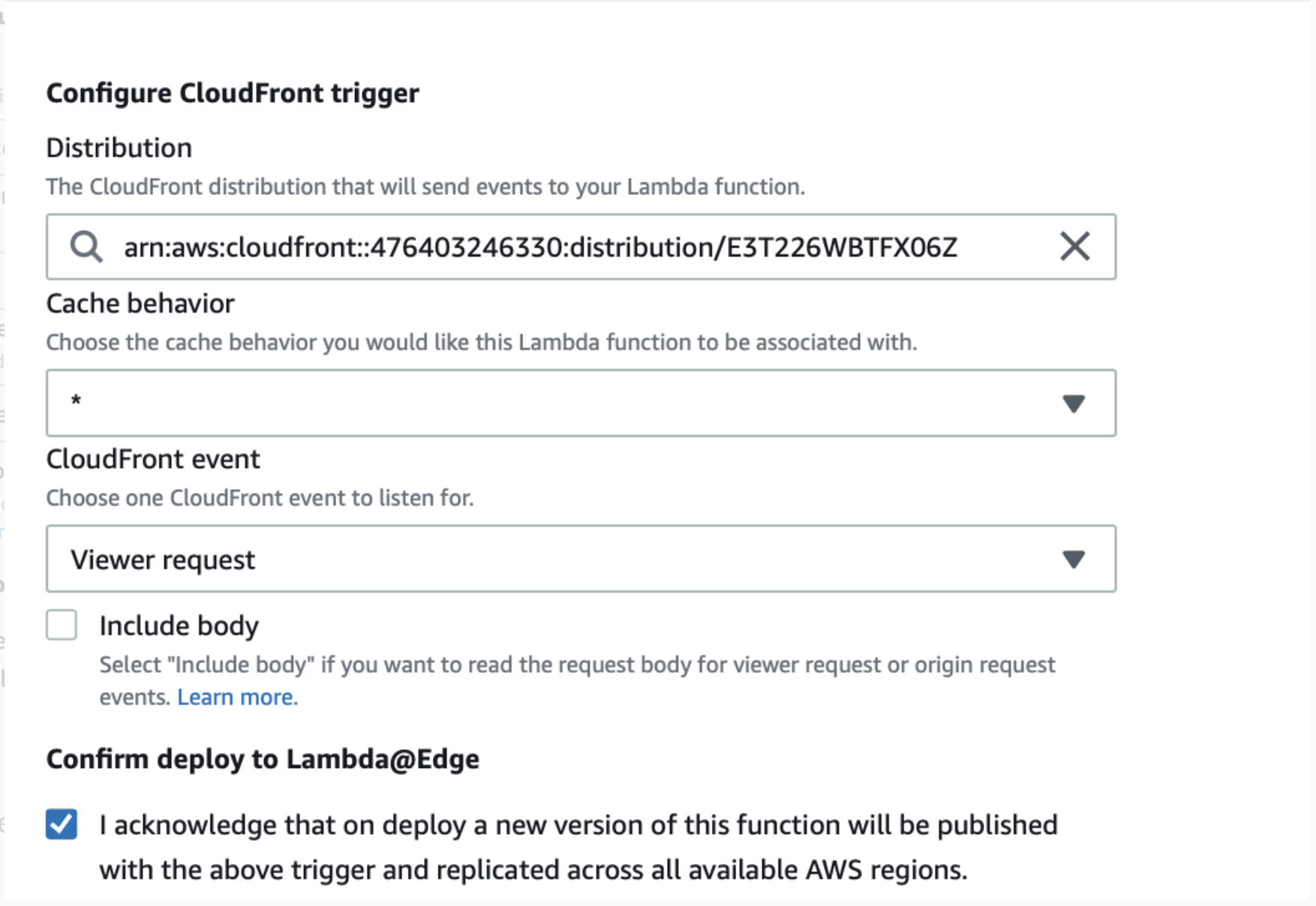
Step 6: Invalidate /ch/* route on CloudFront cache

Step 7: Test your Integration Works
Step 8: Advanced Configuration (optional)
AWS CloudFront Integration - Advanced Configuration
